The e Shram Card is an essential document for unorganized workers, such as labourers, agricultural workers, construction workers, migrant workers and gig workers. It serves as a national identity card for them. In this blog post, we shall explain to our readers how to download e Shram Card online.
What is e-Shram Card?
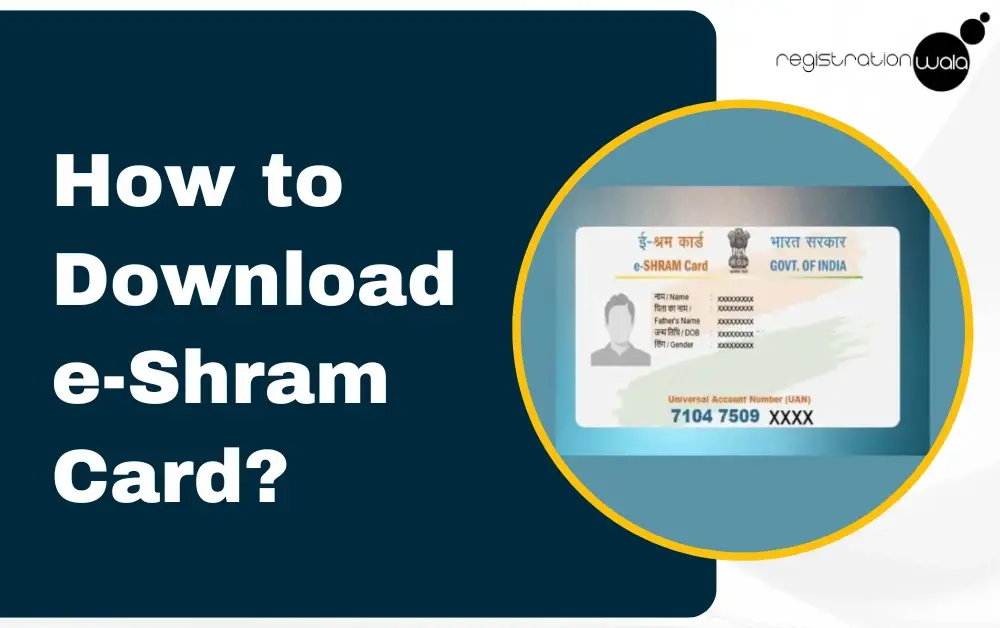
The e-Shram card is a national ID card for unorganized workers in India, allowing them to access social security benefits as well as government welfare schemes. It is issued by the Ministry of Labour and Employment of the Government of India via e-Shram portal, and contains a 12-digit Universal Account Number (UAN).
The e-Shram portal was launched by the Ministry on 26 August 2021 to create a comprehensive National Database of Unorganised Workers (abbreviation: NDUW) and provide them with access with social security benefits.
The e-Shram Card’s purpose is to help workers engaged in construction, migrant and gig work get social security benefits such as pensions, insurance and other government support. To download this card, individuals need to visit the official e-Shram portal.
Prerequisites for e Shram Card Download
Below, we have mentioned some prerequisite conditions for e shram card download by mobile number and aadhaar:-
-
The applicant must have access to the e-shram portal.
-
They must have already completed online registration on the portal.
-
The internet connection must be stable.
-
The e-shram card will be downloaded in PDF format. So, make sure to have a PDF reader on your device.
-
The applicant must have access to their aadhaar card details.
-
The applicant must also have access to the aadhaar-linked mobile number used during registration, as an OTP will be sent to it during the shram card download process.
Eligibility for e-Shram Card
The eligibility requirements to apply for and download e shram card are as follows:-
-
The worker must be an Indian resident.
-
They should not be employed in an organized sector/industry.
-
They must be aged between 16 and 59 years.
-
The worker must not be covered by EPFO or ESIC.
-
They must not be a government employee.
-
They must not be an income taxpayer.
e Shram Card Download Process
The e shram card download by aadhaar number process involves several steps. Each and every essential step has been outlined below:-
Step 1: Visit the e-Shram portal of the Ministry of Labor and Employment, Government of India.
Step 2: Once you are on the homepage, click on the login option.
Step 3: Now, a new page will appear on your screen. On the new page, you need to enter the mobile number linked to Aadhaar. Then, enter the Captcha code provided on the page carefully. Thereafter, click on the ‘SEND OTP’ button.
Step 4: Now, once you receive the OTP on the mobile no. linked to your aadhaar, enter it in box and then click on the ‘Submit’ button.
Step 5: On the new page that appears on your screen, you must enter your Aadhaar number, tick the OTP box and then tick on ‘I Agree’ and then click on ‘Submit’ option.
Step 6: Then, you will receive an OTP on your Aadhaar-registered mobile number . Enter this OTP in the box and then click on the 'VALIDATE ‘ option.
Step 7: Afterwards, a new page will open. On this page, you need to enter necessary details like personal information, address, educational qualification, occupation, skill and bank details.
Step 8: Once you enter all the mentioned information, read the self declaration carefully. Then, tick on the undertaking. After that, click on the ‘submit’ button.
Step 9: Now, a new page will be displayed on your screen containing details related to your e-shram card. For e shram card download pdf download, you must click on the ‘DOWNLOAD UAN CARD’ option.
Step 10: After completing all the necessary steps, your e shram card download process will be completed. You can take a printout of your card for future reference.
In case you face any issues during the download process, you can contact the e shram helpline number.
Conclusion
e-Shram card is an important document for unorganized workers. It serves as a national ID card and gateway to social security benefits and government welfare schemes for the construction workers, labourers, street vendors and other unorganized workers. To download this card online, the process needs to be completed via the official e-Shram portal of the Ministry of Labor and Employment, Government of India.
Frequently Asked Questions (FAQs)
Q1. Which portal do I need to visit to download e shram card PDF?
A. To download it, you need to visit the official e-shram portal.
Q2. What is the age criteria for obtaining an e-shram card?
A. The age criteria for obtaining an e-shram card is between 16 and 59 years of age. Additionally, the individual must be an organized worker.
Q3. Which Ministry issues the e-shram cards?
A. The Ministry of Labour and Employment, Government of India, is responsible for issuing e-shram cards to unorganized workers through the e-shram website.
Q4. When was the e-shram portal launched?
A. It was launched on 26 August 2021 by the Ministry of Labour and Employment, Government of India.
-
Published: November 14, 2025
7099 Views