DIN stands for Director Identification Number. It is a 8-digit identification number issued by the MCA to any individual intending to be or currently acting as a director of a company. Once a DIN is secured by an individual, it remains valid for their lifetime unless it is voluntarily surrendered or cancelled by the regulatory authorities.
If you want to check the DIN number of a director by their name, you can do so by visiting the official website of MCA. In this blog post, we shall explain how to search DIN number by explaining all the required steps involved in the DIN number search by name process.
Importance of DIN Search
DIN search is important for the following reasons:-
-
By searching the director identification number, you can check whether an individual is genuinely a director at a company or not.
-
It helps to prevent frauds as only the genuine director’s DIN will show up on the MCA DIN search tool.
-
By searching a director’s DIN, you can learn about the companies they were previously/are currently associated with.
-
It gives you an idea about the director’s background and reputation.
How to Search DIN Number by Name?
DIN search by name is a simple and easy process. It takes only a few minutes to complete it. Follow the steps we have explained below to easily search DIN by name. :-
Step 1 :- Visit the official website of the Ministry of Corporate Affairs (MCA).
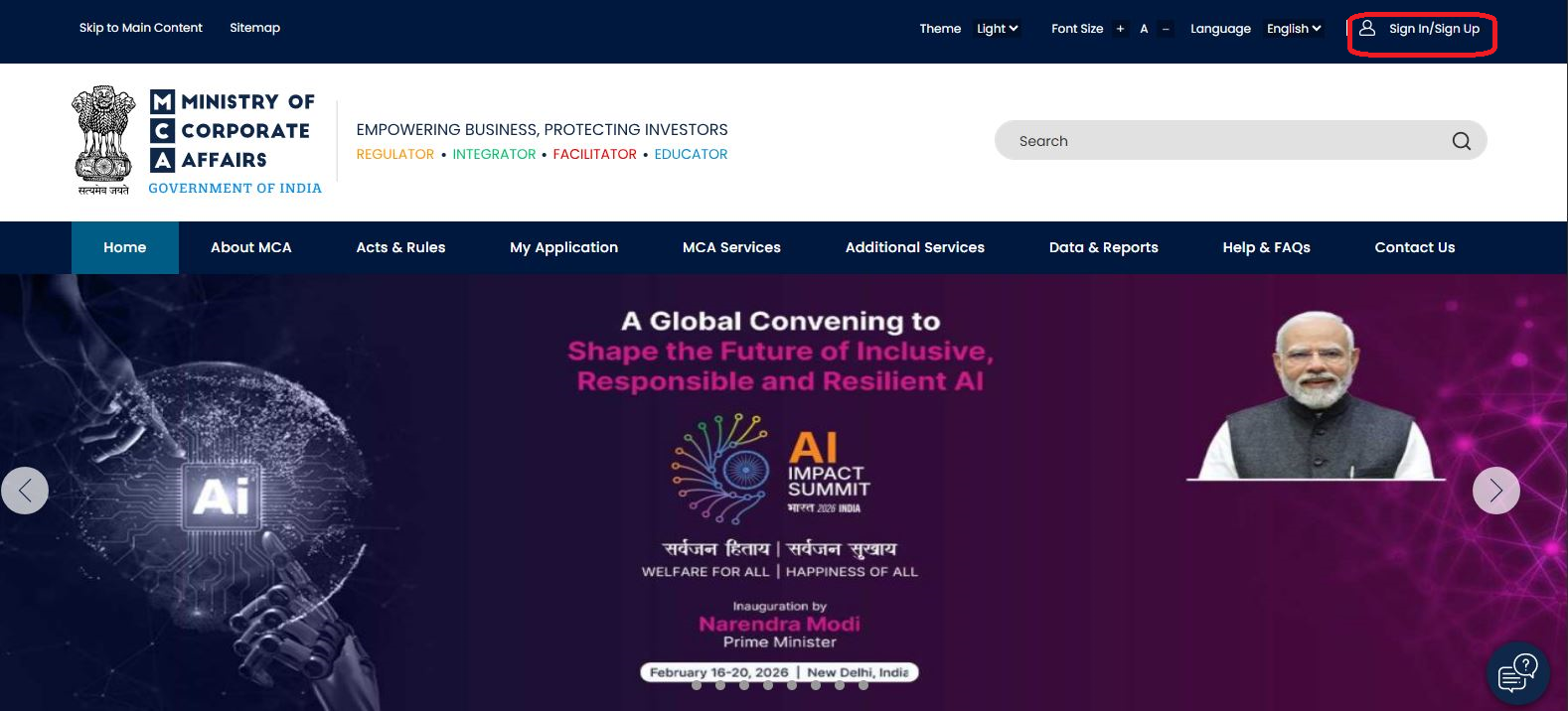
Step 2 :- Once you are on the website, you need to click on the ‘Sign In’ option.
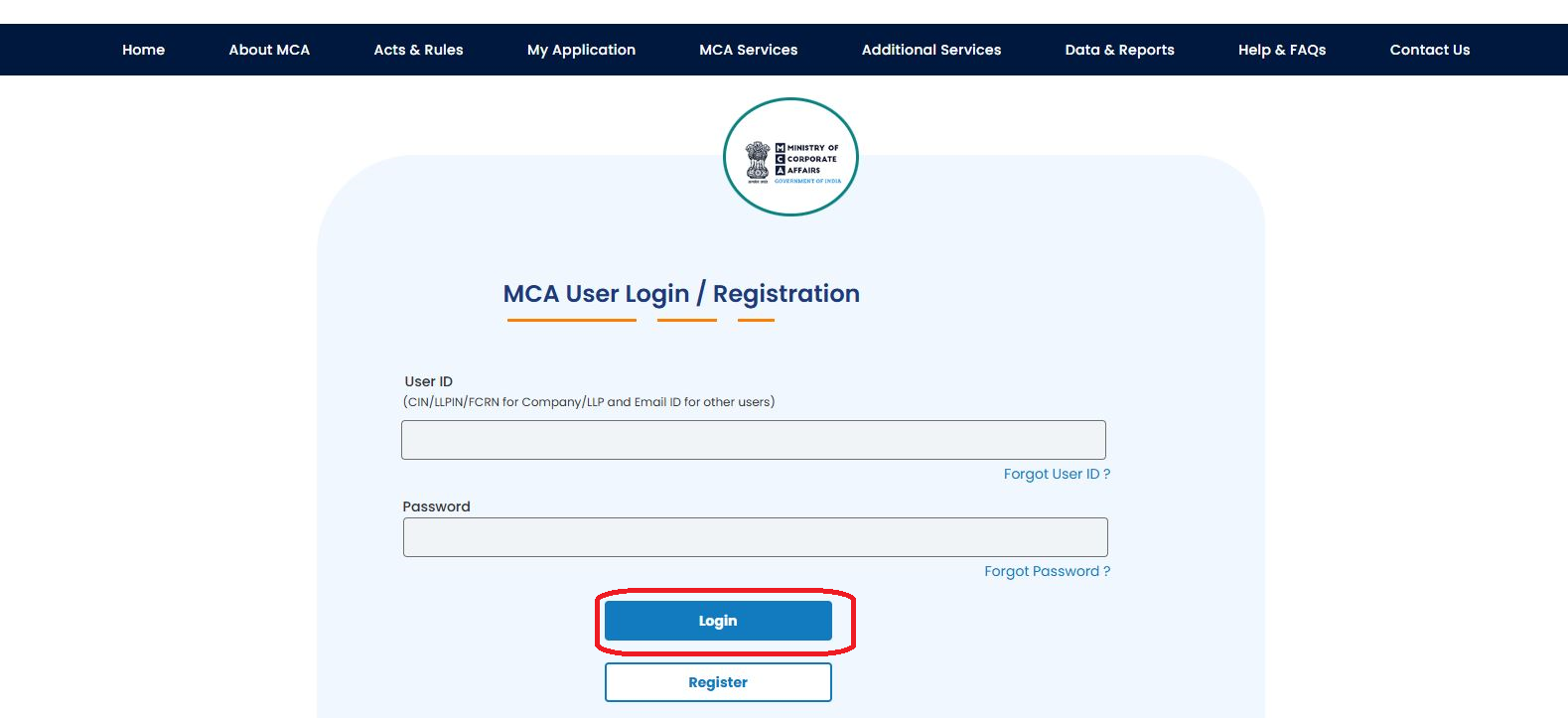
Step 3 :- Now, you need to enter your user ID and password. Then, click on the ‘Login’ button.
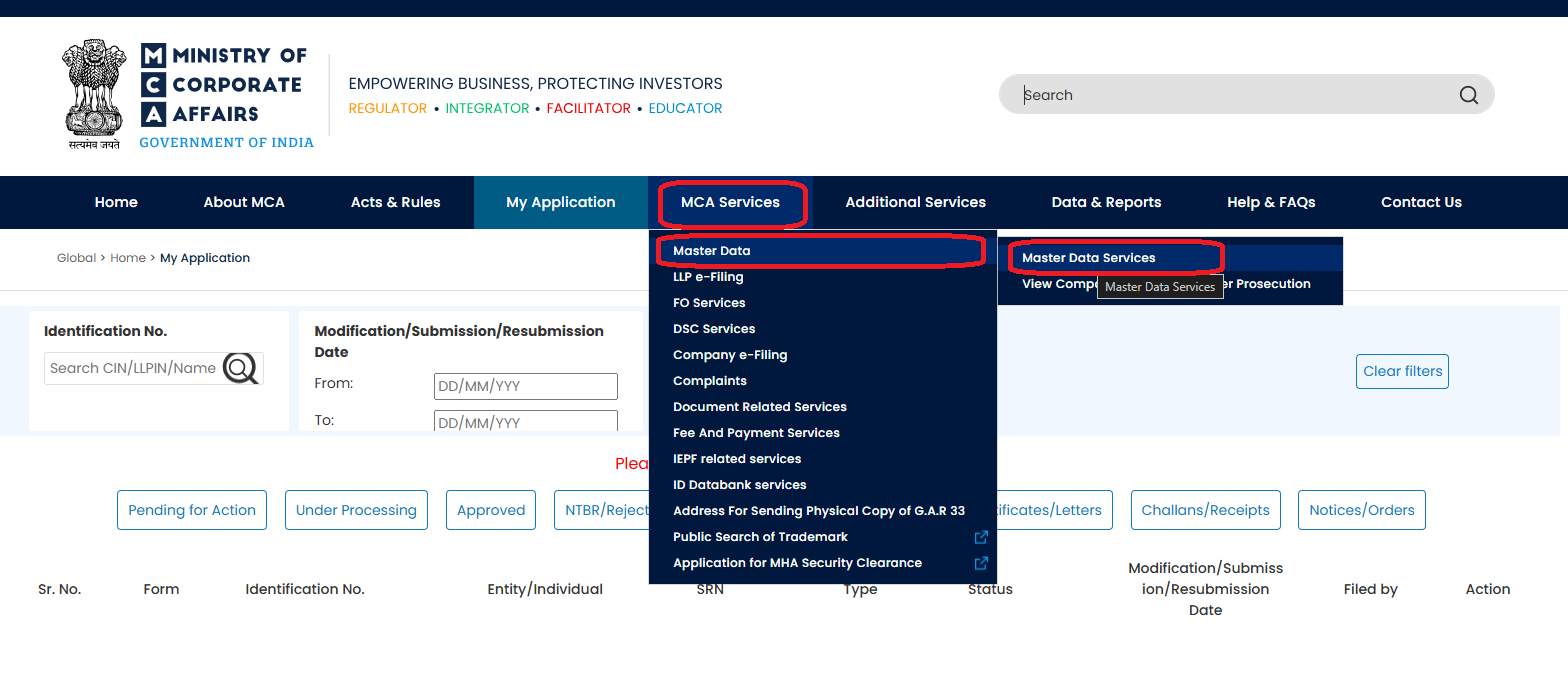
Step 4 :- Once you have successfully logged into the website, you need to navigate to the ‘MCA Services’ tab. Then, go to the ‘Master Data’ and then click on ‘Master Data Services’.
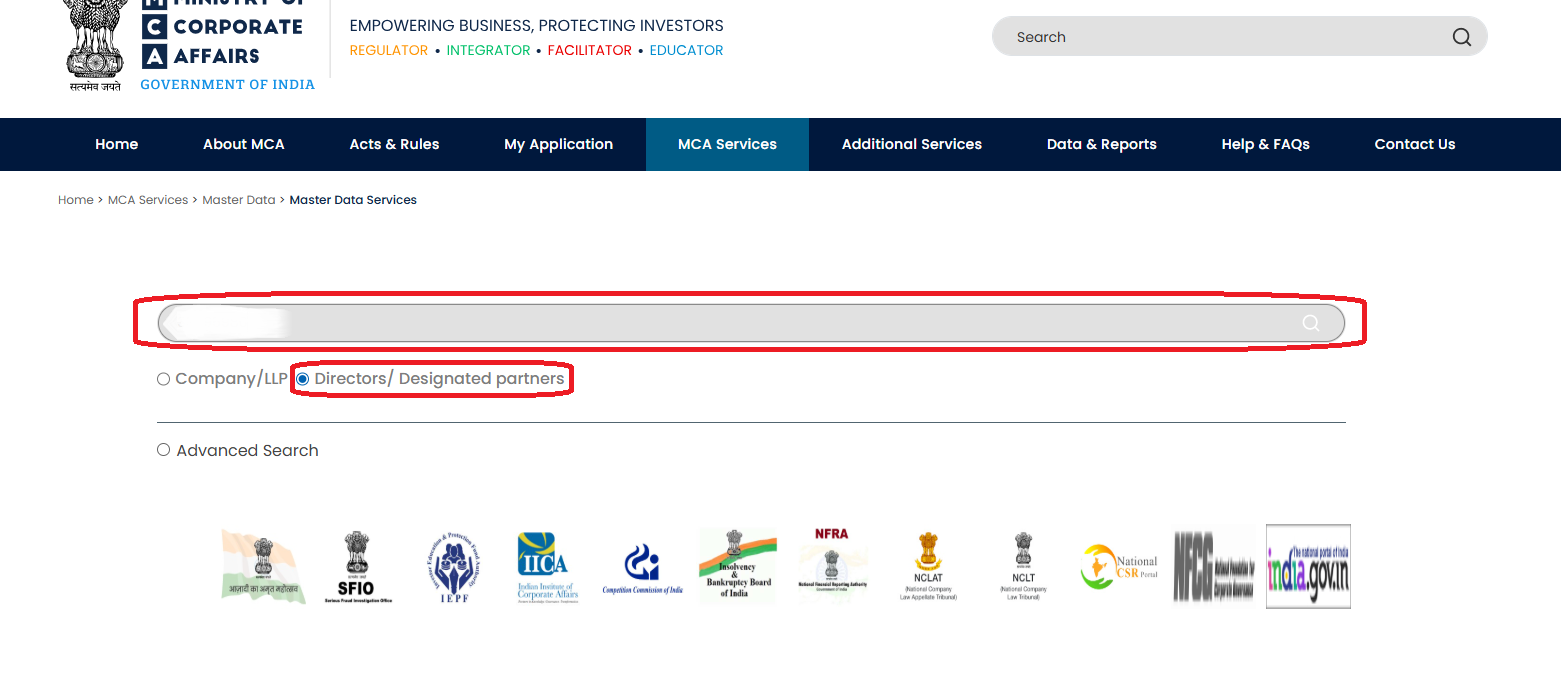
Step 5 :- Now, the MCA tool will appear on your screen. In the tool, choose ‘Directors/Designated Partners’ from all the available options.
Step 6 :- After that, you need to enter the name of the director.
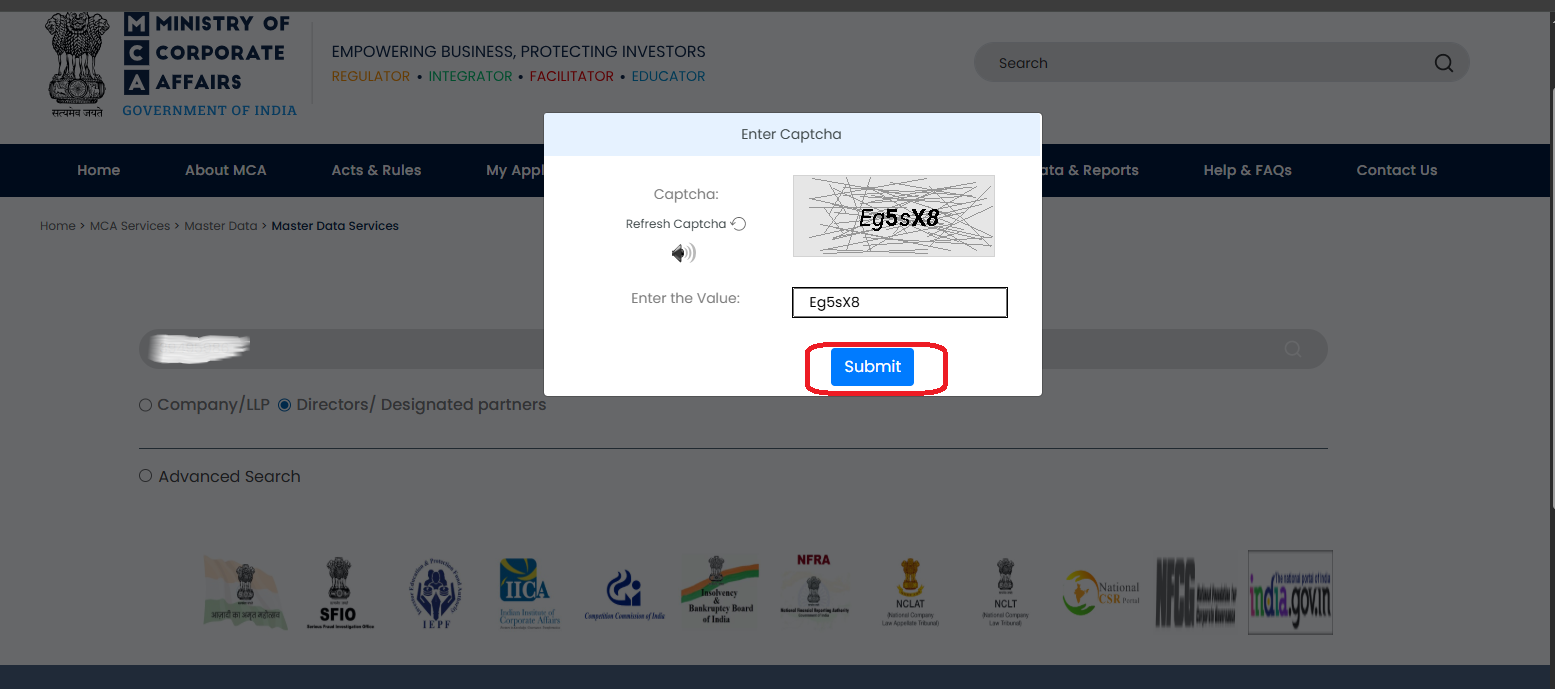
Step 7 :- Now, click on the search option. Then, enter the captcha code and click on the ‘Submit’ button.
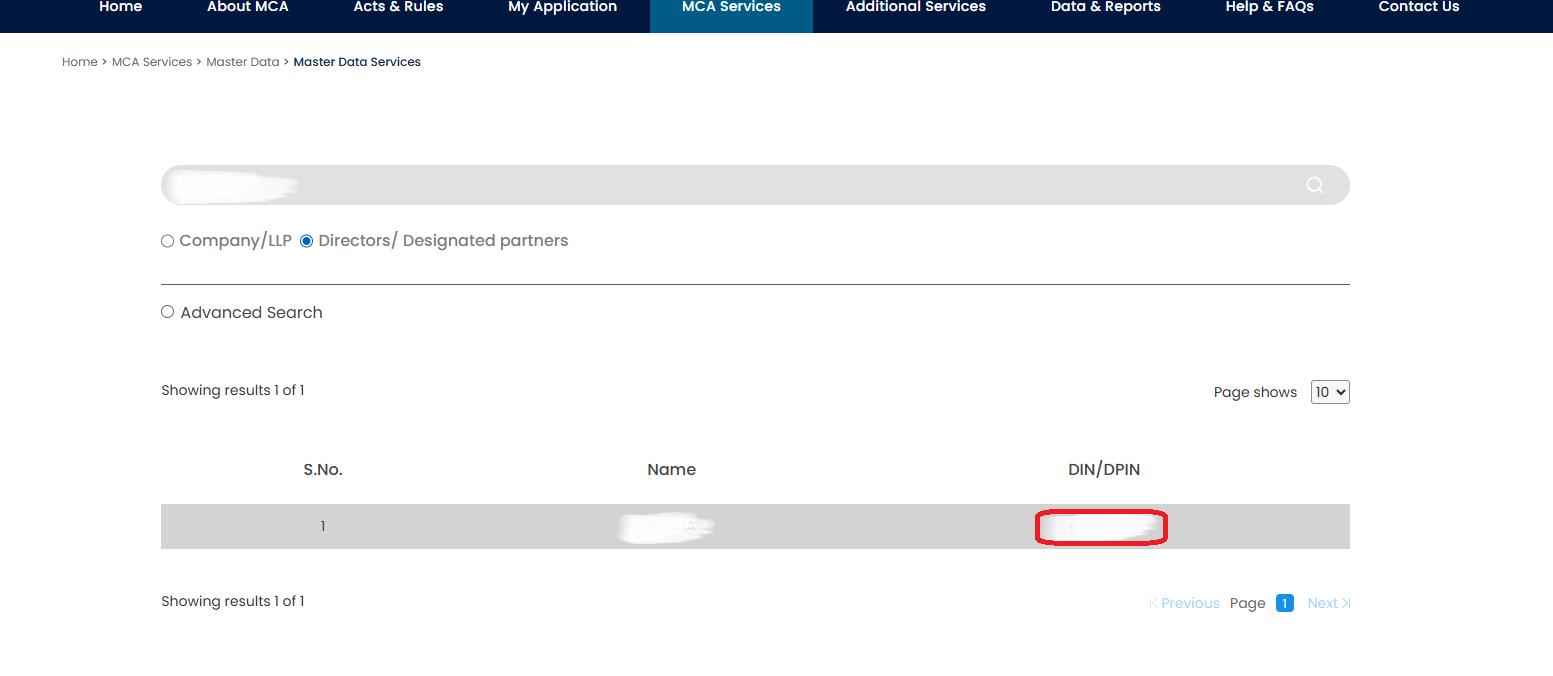
Step 8 :- Finally, the tool will display the list of directors with the name you entered. The tool will also mention the DIN of all the directors that show in the results.
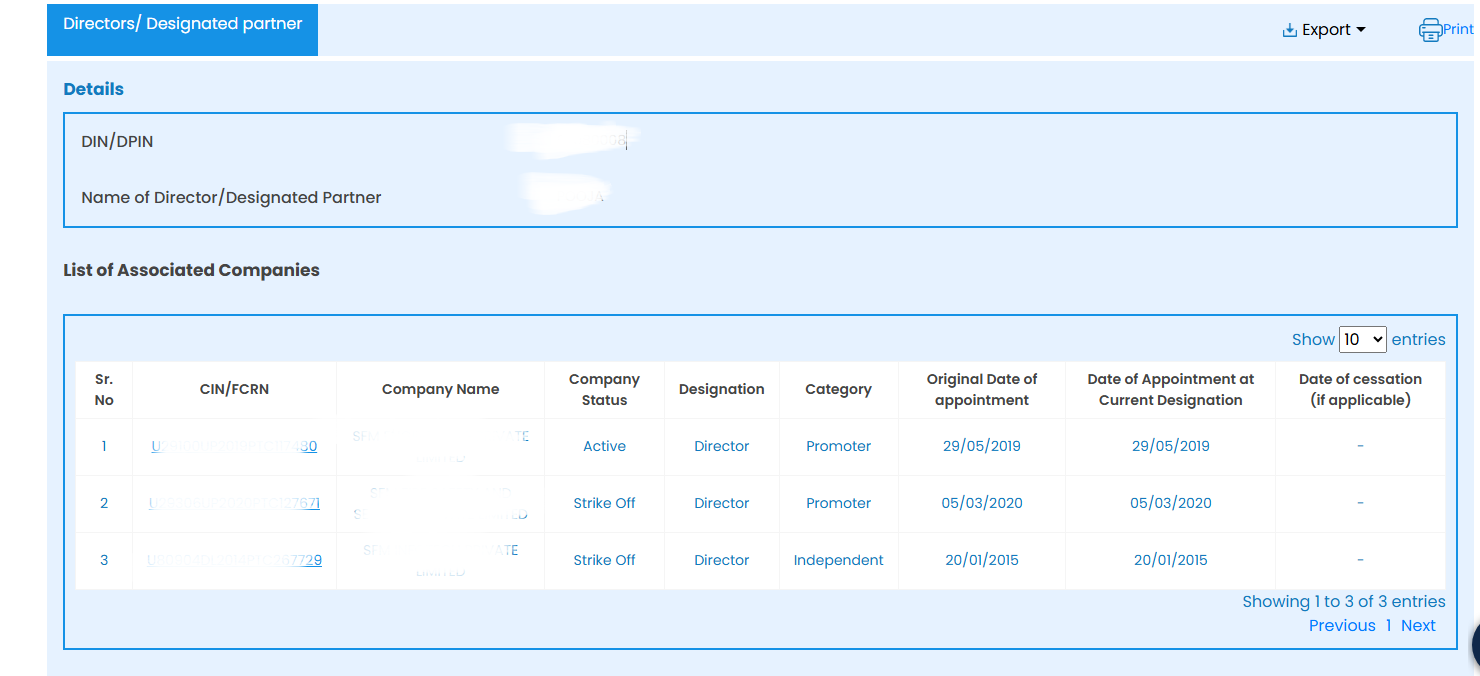
Step 9:- You can click on the DIN of the director to learn about the companies they are currently/were previously associated with. However, if they’re not associated with any company, then no company will show up in the MCA database.
Conclusion
By conducting DIN number search by name via the official MCA portal, you can verify the identity of a director. You can also check their date of appointment at a company. It is an essential step to ensure transparency and prevent fraud. If you’re planning to appoint someone experienced as a director at your company, then checking their director identification number prior to their appointment is highly recommended as a part of their ‘background verification’.
Frequently Asked Questions (FAQs)
Q1. Is it possible to search DIN number by name?
A. Yes, it is possible to conduct DIN number search by name. For this, you need to visit the official MCA portal and complete the necessary steps.
Q2. How to find DIN number by name?
A. To find DIN by name, you need to visit the official website of MCA. Then, you need to log into the website by entering your username and password. Once you are logged in, go to the ‘MCA services’ tab and then go to ‘Master Data’ and click on ‘Master Data Services’. Then, the DIN search MCA tool will appear on your screen. In the tool, choose ‘Directors/Designated Partners’. Then, enter the name of the director. After that, click on the search option and enter the captcha code before clicking on the ‘Submit’ button. Finally, the tool will display the DIN of the director with that name.
Q3. How to check if a director is under prosecution on MCA portal?
A. Go to the official MCA website. Once you are on the homepage, go to the ‘MCA services’ tab and then go to ‘Master Data’ and click on ‘View Companies/Directors under Prosecution’. Then, choose the ‘Directors/ Designated partners’ option and enter the name of the director. After that, click on the ‘search’ button. Now, you will be able to check the director’s prosecution details.
Q4. Can I find the DIN by director’s name without logging into the MCA portal?
A. No, you generally need to log into the MCA portal to find a director’s DIN by entering their name.
Q5. How to check the DIN status of a director?
A. To check the DIN status of a director, you need to visit the MCA portal. Then, go to the ‘MCA Services’ tab. After that, go to ‘FO Services’ and then click on ‘Enquire DIN status’. Then, enter the DIN of the director and click on the ‘Submit’ button. Now, the director’s DIN status will be displayed on your screen.
-
Published: March 02, 2026
10795 Views