PRAN stands for Permanent Retirement Account Number. It is a unique 12-digit identification number assigned to each National Pension System (NPS) subscriber. To access your NPS account online, it is necessary to have a PRAN number. This number is contained in the PRAN card. Without this number, you cannot log into your NPS account.
In case you do not have a physical PRAN ID card or lost it, it’ll be helpful for you to learn how you can download e-PRAN card online in PDF format instantly. In this blog post, we shall explain how to download PRAN card by explaining all the necessary steps.
What is PRAN Card?
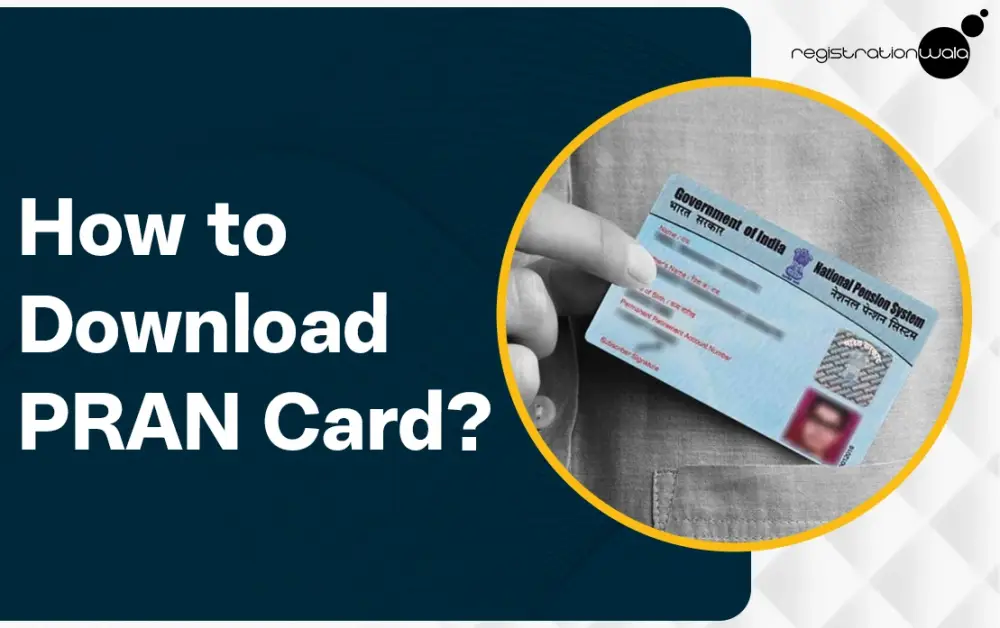
A Permanent Retirement Account Number (PRAN) Card is a physical identification document issued to each NPS subscriber. It contains the cardholder’s name, photograph, PRAN no., signature and father’s name. This document serves as proof that the cardholder is an NPS subscriber and helps them manage, track and secure their retirement funds easily.
The digital version of a Permanent Retirement Account Number is known as e-PRAN Card. You can download e PRAN card online easily via the official NPS portal. It is important to note that you must have the 12-digit PRAN no. to be able to login to the portal and download ePRAN. In case you do not remember your PRAN no., you can search for it via the ‘Find My PRAN’ facility offered by NPS Kfintech portal.
PRAN Card Download - Step-by-Step Process
For e PRAN Card download, you need to follow a few simple steps. Below, we have explained each and every step so you can download PRAN card easily :-
Step 1 :- Visit the official eNPS portal.
Step 2 :- Once you are on the homepage, you need to click on the ‘Login’ option. Under this option, choose ‘Subscriber’ and then click on ‘National Pension System (NPS)’.
Step 3 :- Now, you need to enter your login details.
Step 4 :- Next, you need to fill in the captcha code carefully, tick on the declaration (after reading it carefully), and then click on the ‘Submit’ button.
Step 5 :- Now, once you have logged in successfully, you need to go to the ‘Track Transaction’ option visible on the dashboard. Then, go to ‘Download’ and then choose the ‘ePRAN Card’ option.
Step 6 :- Your ePRAN card will now be displayed on your screen. It’ll contain essential details like your name, photograph, PRAN no., etc.
Step 7 :- Now, on the right hand side on the top of the ePRAN, there will be an option ‘Download as PDF’. Click on this option for obtaining the e pran card download PDF successfully.
Once you follow all the above-mentioned steps, your Permanent Retirement Account Number card download process will be completed. In case you face any issues or technical challenges during the process, you can contact the NPS helpline number for NPS subscribers @ 1800 2100 080.
Conclusion
Permanent Retirement Account Number (PRAN) Card is an essential document for every NPS subscriber. It contains essential details like the cardholder's name, photograph, signature, PRAN no., etc. It serves as proof that the cardholder is an NPS subscriber and has an NPS account. The digital version of PRAN card, known as e-PRAN card, can be downloaded online pretty easily via the official eNPS portal. All you need to do is follow the simple steps we explained to you in this post. If you need further assistance, it is recommended that you contact the NPS helpline number.
Frequently Asked Questions (FAQs)
Q1. Can I download e-pran online?
A. Yes, you can download it online via eNPS portal.
Q2. Is e pran card download without pran number possible?
A. No, it is not possible to download the e-pran card without pran no. In case you forgot your pran no., you can find it online by visiting the NPS KFintech website and using their ‘Find My PRAN’ facility.
Q3. Can I get a physical ID PRAN?
A. Yes, you can get a physical ID PRAN if you opt for it. The CRA will send it to you at your registered address.
Q4. What are the essential details contained in e-PRAN card?
A. It contains the same details that a physical PRAN ID card contains like the cardholder’s name, photograph, signature, PRAN number, father’s name, etc.
Q5. How many digits does the PRAN number contain?
A. It contains a total of 12 digits. Each and every NPS subscriber is assigned a unique PRAN no., meaning no two NPS subscribers have the same PRAN number.
-
Published: February 05, 2026
4168 Views