Preface: This post was originally published in 2017 and has been updated on September 30, 2025, to provide you with the most current and accurate information.
A Director is a senior-level executive who plays an irreplaceable role in running a company. To ensure that the Ministry of Corporate Affairs (MCA) has accurate information about all the directors in India, certain formalities must be fulfilled.
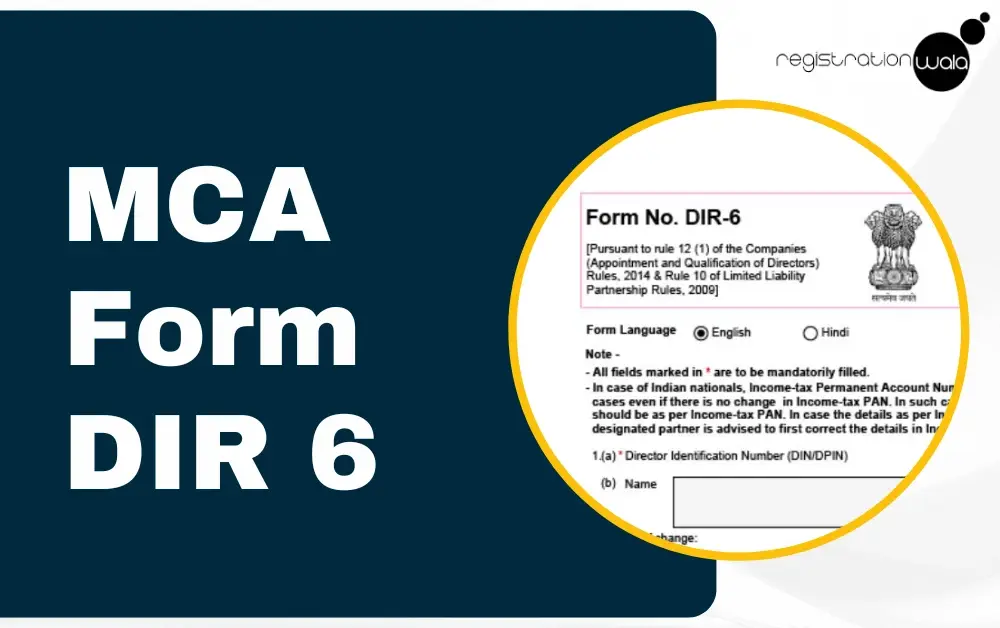
MCA Form DIR 6 is one such important form that helps maintain correct and updated records of a director’s details. In this blog post, we shall discuss what is DIR-6 form, its purpose and more.
Form DIR-6 is an MCA form that directors use to update or verify their personal and professional details with the Ministry of Corporate Affairs (MCA). It is not an annual compliance form, but rather is filed whenever such updates or verifications are required.
This form helps the MCA to maintain accurate data regarding the directors across India. The requirement for filing DIR-6 is provided under Rule 12(1) of the Companies (Appointment and Qualification of Directors) Rules, 2014.
There is no DIR 6 MCA fees. Filing this form is absolutely free of cost via the MCA portal. However, if you seek assistance from a professional to file this form, they will charge you professional fees for their services.

Rule 12(1) of the Companies (Appointment and Qualification of Directors) Rules, 2014
As mentioned earlier, Rule 12(1) of the Companies (Appointment and Qualification of Directors) Rules, 2014 requires filing of DIR-6. The Rule 12(1) states the following:
“(1) Every individual who has been allotted a Director Identification Number under these rules shall, in the event of any change in his particulars as stated in Form DIR-3 intimate such change(s) to the Central Government within a period of thirty days of such change(s) in Form DIR-6 in the following manner, namely;-
(i) The applicant shall download Form DIR-6 from the portal, fill in the relevant changes, verify the Form and attach duly scanned copy of the proof of the changed particulars and submit electronically;
(ii) The form shall be digitally signed by a chartered accountant in practice or a company secretary in practice or a cost accountant in practice;
(iii) The applicant shall submit the Form DIR-6.”
The purpose of DIR-6 is to inform the MCA regarding change(s) in the director’s particulars as outlined in DIR-3 within a period of 30 days of any such change(s). Filing this form ensures compliance with MCA regulations.
Following attachments shall be made with the Form DIR-6:
-
A valid proof of change in particulars of DIN, such as a copy of verification by the director in Form No. DIR-7.
-
As the proof of Identity of director/designated partner, the income Tax PAN number shall be submitted in case of Indian nationals. While in case of foreign nationals, passport is a mandatory requirement for proof of identity
-
As the proof of residence of the director/designated partner, the address proofs like bank statements, electricity bill, telephone bill, utility bills etc. shall be attached. In case of an Indian director/designated partner, documents should not be older than 2 months from the date of filing of the eForm. While in case of foreign director/designated partner, address proof should not be older than 1 year from the date of filing of the eForm.
-
The proofs submitted should be translated in Hindi/English from a professional translator carrying his details (name, signature, address) and seal in case of proofs which are in languages other than Hindi/English.
How to Get DIR 6 from MCA Portal?
Wondering how to get DIR 6 from MCA site? Here’s how you can do it:
Step 1: Visit the official MCA portal.
Step 2: Then, you need to log in using your credentials.
Step 3: Now, once you have logged in, go to the homepage and click on ‘MCA services’ tab and then choose ‘Company e-Filing’ then ‘DIN related form’. Then, click on ‘DIR-6 - Change in particulars of Director’.
Step 4: Finally, the DIR-6 form will appear on your screen.
How to File DIR 6 on MCA Portal?
To file DIR 6 on the MCA portal, follow the steps mentioned below:
Step 1: Visit the official MCA portal and log in using your credentials.
Step 2: After logging in, go to the homepage and navigate to ‘MCA services’ tab and then select ‘Company e-Filing’ option then ‘DIN related form’ option. Thereafter, you need to select ‘DIR-6 - Change in particulars of Director’.
Step 3: Now, DIR-6 will be displayed on your screen. Enter all the required details like type of change, applicant’s details, present residential address, etc. Then, attach all the necessary documents.
Step 4: After entering all the necessary details and attaching the required documents, you need to submit the eForm DIR-6 on the portal.
Step 5: Upon successful submission of the eForm, a Service Request Number (SRN) will be generated. This SRN will be used for future correspondence with the MCA.
Key Points to Remember While Filing DIR-6
Here are key points to remember while filing DIR-6 for making the request for change in the particulars of DIR-3 are as follows:
-
In case the details like name/father's name/DOB as per Income-tax PAN are incorrect, director/designated partner is required to first correct the details in Income-tax PAN before filing this form.
-
In case the contents specified in the eForm matches with already filled DIR-3/DIN details, then the application shall be marked as a potential duplicate and shall then be processed by DIN Cell. EForm shall be allowed to be resubmitted only once in case of processing under this.
-
If the details filed are not identified as potential duplicate, DIN shall be auto-approved by the system and will be sent to DIN cell for verification if verification is not passed, an email is sent to the director for correction of defects by filing eForm DIR-6.
-
In case eForm is filed for updating of income-tax PAN in respect of Disabled DIN, then the status of DIN shall be changed to Approved consequent upon approval of the E-Form.
Conclusion
To ensure compliance with MCA regulations, a director needs to file DIR-6 whenever there’s a change in their particulars. This form can be filed online via the official MCA portal. If you need assistance with filing this form, you can connect with our compliance experts at Registrationwala.
-
Published: September 30, 2025
10098 Views